---
title: "Community Templates"
description: "Community templates that are included with the module, including NuxtSeo."
canonical_url: "https://nuxtseo.com/docs/og-image/v5/guides/community-templates"
last_updated: "2026-09-26T04:05:33.106Z"
---
## NuxtSeo
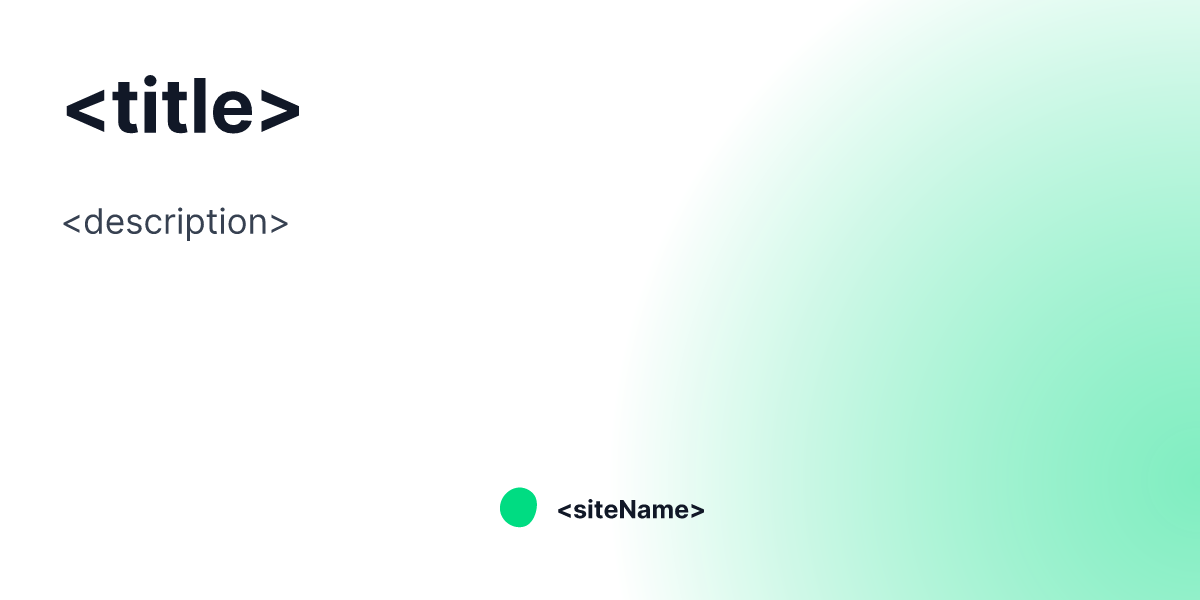
The `NuxtSeo` template is the default one provided for you. It comes with a number of props
to let you customise it however you like.
Like all Community templates, it's recommended to copy+paste it into your project if you want to customise it. You can find
the source on [GitHub](https://github.com/nuxt-modules/og-image/blob/main/src/runtime/app/components/Templates/Community/Nuxt.vue).
## Props
### `title`
**Type:** `string`
**Default:** ``
The title of the page. This will be used as the main heading.
### `description`
**Type:** `string`
**Default:** `<meta name="description" />`
The description of the page. This will be used as the subheading.
### `icon`
**Type:** `string` | `boolean`
**Default:** `false`
The icon of the page. This will be used as the main image. Requires Nuxt Icon to be installed.
### `siteName`
**Type:** `string`
**Default:** Site Name from [Nuxt Site Config](/site-config/guides/setting-site-config)
Sets the bottom centered text of the template.
### `siteLogo`
**Type:** `string`
Replaces the site name and the Nuxt Seo logo with a custom image.
See the [Icons and Images](/docs/og-image/guides/icons-and-images) guide for more information.
### `theme`
**Type:** `string`
**Default:** `#00dc82`
Changes the theme of the template. You should either provide a hexadecimal color or a valid rgb.
For example: `#d946ef`
### `colorMode`
**Type:** `light` | `dark`
**Default:** `light`
Changes from a light or dark background / text color. Integrates with `@nuxtjs/color-mode`, selecting your
default color mode.
## Sitemap
See the full [sitemap](/sitemap.md) for all pages.